
Forgetting
Why phone reminders don’t work
Neither you nor the app is to blame. It comes down to a four-step chain every reminder has to get through to be any use.
 Written by Lorenzo Gumiero

Contents7 sections
Phone reminders fail because they ask four things of you in a row: remembering to set them, being available when they go off, remembering why you set them, and acting right away. Any step can break. On busy days, nearly all of them break at once.
Why phone reminders don’t work
They arrive on a channel you’ve already learned to ignore, at a moment nobody chose by looking at where you are and what you’re doing.
The number of notifications we get has been growing for years. Back in 2018, a typical person already received more than fifty a day. By 2023, among teenagers, the count topped two hundred. Meanwhile, the apps that send the most keep picking up the pace.
In a stream like that, your reminder isn’t competing with silence but with everything else. We open only about one notification in eight, and your brain has already decided that the channel is background noise.
You have to remember to set the reminder
The first break happens before the reminder even exists, because you have to remember to create it.
The intention almost always shows up at the wrong moment: while you’re driving, cooking, or in a meeting. By the time your hands are free again, it’s gone.
People with a well-built productivity system get past this step, but they’re a minority. Industry data compiled by Statista and Mixpanel in 2024 puts 30-day retention for productivity apps at around 4%: people download the tool, use it for a week, and stop.
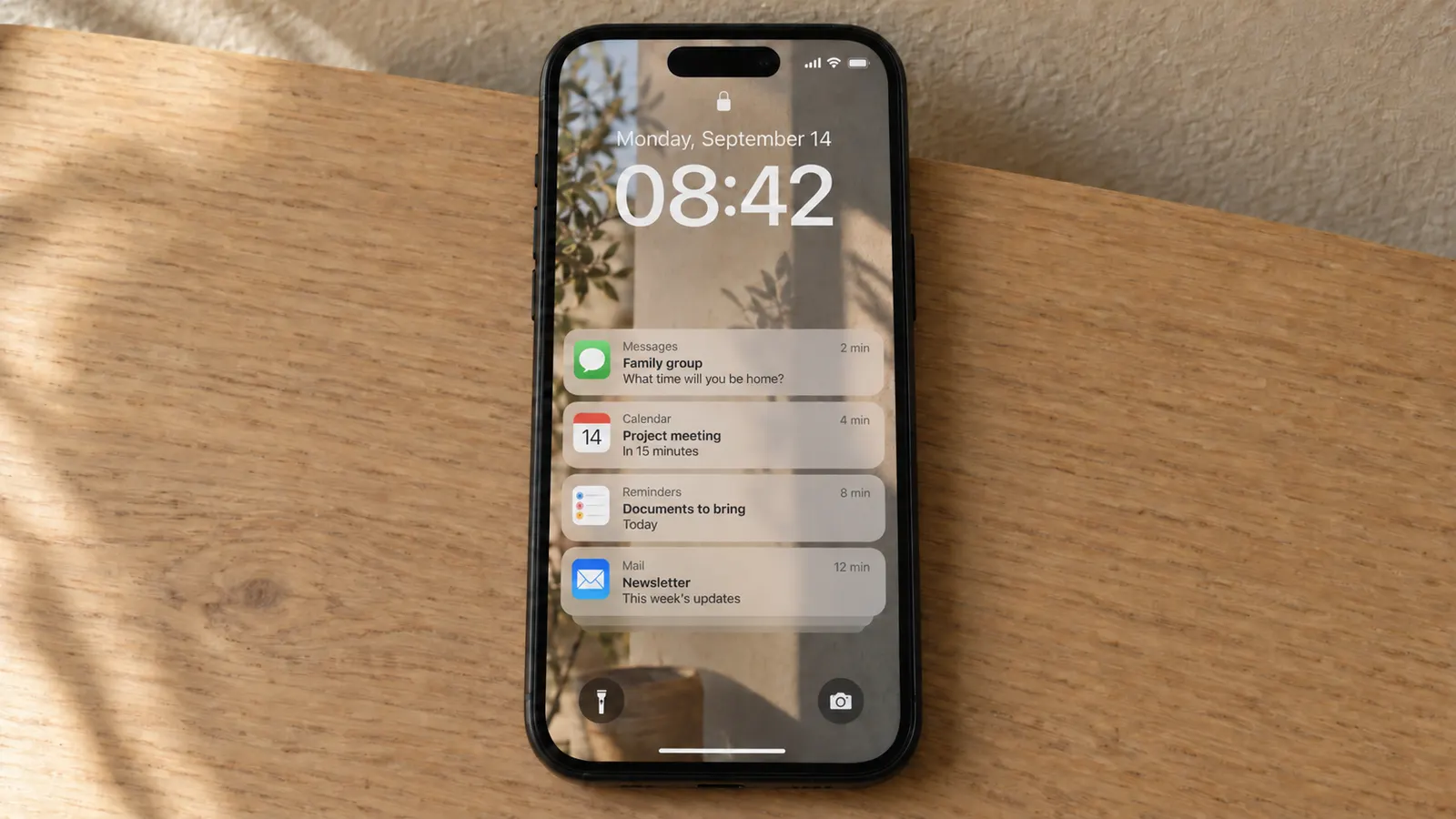
The reminder fires while you’re doing something else
The second break is timing, because a reminder set for a fixed time doesn’t know where you are.
It goes off while you’re on the couch, in the shower, or already in the car. In almost every one of those moments you can’t act, so you snooze it. Snoozing is the fastest gesture in the interface, and within a few days it becomes automatic.
People who live with lots of phone alarms describe the same drift. The question stops being “what do I need to do” and becomes “how do I make this noise stop.” At that point the tool still works on paper, but it no longer helps.
By the time you read it, the context is gone
The third break is context. A reminder that says “documents” only helps if you still remember which documents and why.
It’s a bit like walking into a room and forgetting what you came for. The alert fires, you ignore it for ten seconds, and in those ten seconds the reason you set it has already left your working memory. The label is still there, without the thing it referred to.
The reminders that survive this step have long, specific labels. The ones typed in a hurry as a single word don’t.
Why location-based reminders arrive late
On paper they solve the timing problem, but in practice they bring it back, because your phone’s location updates with a delay.
The system can’t poll GPS continuously without draining the battery, so it samples at intervals. The smallest radius platforms let you set is roughly a hundred meters, so the “when I leave home” alert reaches you once you’re already on the street. We explain it in more detail in why leaving-home automations fire late.
When phone reminders actually work
There are three situations where they work very well.
The first is when the label is specific and written at the moment of the intention. “Bring Mom’s test results to the doctor” holds up. “Results” doesn’t.
The second is when the event is fixed and recurring, like clocking in, lunch break, school pickup, or an evening medication. Here the time really is the right trigger, and a recurring reminder set up once can last for years.
The third is when the phone acts as a safety net rather than the main system. People who already have a physical system that works, like a hook, a tray, or a bag packed the night before, use the alarm only as a final check and get the best results.
All three take some setup effort up front, though. The people who forget the most are often the ones who find it hardest to build that system. That’s where the phone stops being the answer.
What changes when the reminder doesn’t come from your phone
First, the channel changes. And with the channel, so does the chance that the alert gets noticed.
An alert that arrives at the door doesn’t compete with notifications, doesn’t ask you to unlock anything, and can’t be dismissed with a gesture you’ve already automated. It comes with a movement you’re already making, so it asks for no extra attention.
The timing changes too. A timed reminder is a bet on where you’ll be. A reminder tied to picking up your keys arrives when you’re at the door by definition, and still inside.
That’s the idea we built Dory on: a smart key tray that speaks up the moment you pick up your keys. It also recognizes who’s leaving, so everyone gets only their own reminders. For more on the category, see the guide to smart key trays. For more habits that help when you leave the house, read how to stop forgetting things when you leave home.
Frequently Asked Questions
Timed ones work for fixed, recurring events. Location-based ones suit errands out of the house, where a few minutes of delay changes nothing. For the moment of leaving home, they almost always arrive late.
Because the brain learns to treat a channel based on the average of what comes through it. If most notifications are irrelevant, the automatic response becomes dismissal. That response fires before you’ve read the content.
Not much, if the problem is the four-step chain. The best apps make creating a reminder easier, but the alert still lands on a crowded channel at a time chosen in advance. That’s why it’s worth changing the channel, for example with a smart key tray like Dory, which reminds you at the door when you pick up your keys.
It depends on age, but the number has been growing for years. In 2018 a typical person already received more than fifty a day. By 2023, among kids aged 11 to 17, it topped two hundred.
Yes, as long as it doesn’t depend on your phone’s location. The Dory smart key tray reminds you the moment you pick up your keys, while you’re still inside. It also recognizes who’s leaving, so everyone gets only their own reminders.
Keep reading
 ForgettingGifts for people who forget everythingInstead of helping them remember better, the right gift for someone who forgets everything takes away the need to remember at all. The gifts that work [...]Written by Lorenzo Gumiero
 ForgettingThe mental load at home: who remembers everything for everyoneMental load is the invisible work of holding the state of a household in your head: what’s due tomorrow, who needs to bring what, what’s running out [...]Written by Lorenzo Gumiero
 ForgettingADHD and everyday forgetfulness: change the environment, not your headWith ADHD, everyday forgetting is more often a problem of triggering than of memory. The information is there, but the cue that would bring it back at [...]Written by Lorenzo Gumiero